
Snapshots and undoing a change with tui-snapper
Put a btrfs subvolume under snapper, take a snapshot before a change, see what the change did file by file, put the files back with undochange, and keep the history short with retention limits and a cleanup. One walk through tui-snapper on a real filesystem, with every confirm dialog as the tool showed it.
Everything below was run on 2026-10-23 with
tui-snapper v0.2.5,
installed from the apt repository in an Ubuntu 24.04 container (snapper
0.10.6 from Ubuntu’s own archive) on a test machine. The screens and dialogs
are copied from the terminal, without the dialog borders; nothing in them was
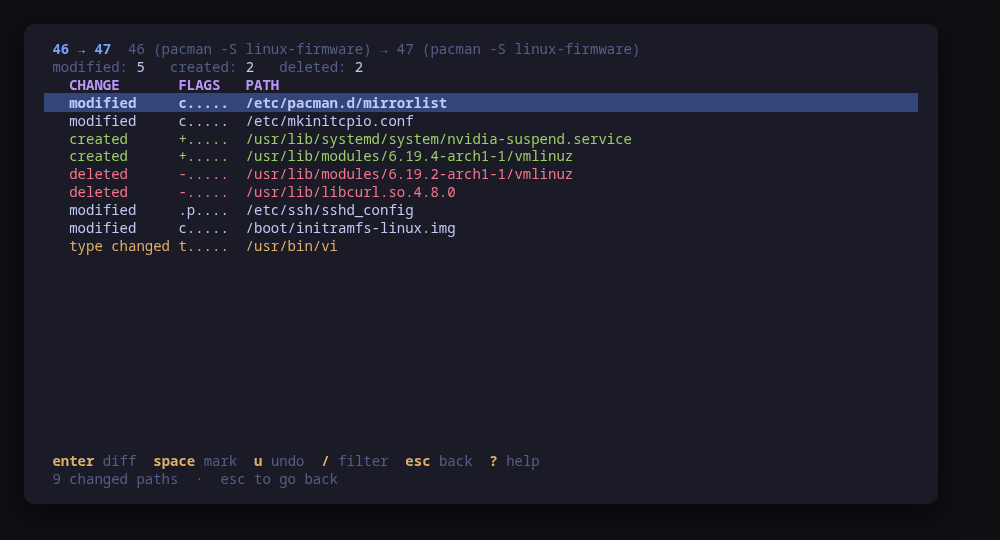
retyped. The screenshot is the tool’s own, from --demo.
The filesystem is a practice one: a 256 MB file attached as a loop device and
formatted btrfs, mounted at /srv/data. A data subvolume on a real disk goes
through the same screens. This guide undoes individual files; it does not roll
back a whole system, which is a different mechanism (see the end).
Install it, and snapper
$ sudo apt install -y snapper tui-snapperThe repository setup is on the install page. The tui-snapper
package does not pull in snapper itself, so name both.
tui-snapper needs root even to read. snapper opens its subvolumes directly,
and a plain snapper list fails for an ordinary user, so everything below was
done in a root shell. The other way, described in the
README,
is to run it as yourself with sudo = "sudo -n" configured and a warm sudo
timestamp.
A practice filesystem
The 256 MB file was created with truncate -s 256M disk.img and is at
/work/disk.img on the test machine. Then, as root:
# losetup -f --show /work/disk.img
  mkfs.btrfs -q -L data /dev/loop0
  mkdir -p /srv/data
mount /dev/loop0 /srv/datalosetup printed /dev/loop0. A few files to have something to change:
# mkdir -p /srv/data/site/conf
  printf "listen 8080\nserver_name www.example.com\nworkers 4\n" > /srv/data/site/conf/app.conf
  printf "<h1>example.com</h1>\n" > /srv/data/site/index.html
echo keep-me > /srv/data/notes.txtPut the subvolume under snapper (s, then n)
With no config on the machine, the tool opens on an empty list and says what to do about it:
tui-snapper  no config  ·  snapper (root)
snapshots: 0   backend: snapper 0.10.6

        snapper manages nothing on this machine — s, then n, creates a config
s opens the config screen and n asks for the subvolume. The path is
checked before anything is previewed. A directory inside a subvolume was
typed first, to see the refusal:
Subvolume

> /srv/data/site

snapper snapshots whole subvolumes, and /srv/data/site is a
directory inside one. Type a subvolume instead. To see which
ones there are, as root:

btrfs subvolume list /srv/data

Or make the directory a subvolume of its own, while nothing
writes to it:

btrfs subvolume create /srv/data/site.new
cp -a --reflink=always /srv/data/site/. /srv/data/site.new/
mv /srv/data/site /srv/data/site.old
mv /srv/data/site.new /srv/data/site
Those commands are shown, not run. With the field cleared (ctrl+u) and
/srv/data typed instead, the tool suggested the name srv-data, and enter
on it brought up the preview:
Create a config srv-data for /srv/data

snapper starts managing this subvolume: it writes a configuration file and creates the .snapshots subvolume under it. No snapshot is taken yet, and
nothing already on the filesystem is changed.

Command to run:
$ snapper -c srv-data create-config -f btrfs /srv/data
After y the config screen listed srv-data with its subvolume.
Set retention limits (a)
a on the config walks through the retention keys one at a time, each seeded
from snapper get-config. Ubuntu’s defaults keep 50 numbered snapshots and
turn on hourly timeline snapshots. For this walk-through NUMBER_LIMIT became
5 and TIMELINE_CREATE became no (a pick list with yes and no);
enter kept every other value. Only the two changed keys reach the command:
Change the retention limits of srv-data: NUMBER_LIMIT, TIMELINE_CREATE

Only the retention keys below are written, and only the ones you changed. No snapshot is deleted now: the next cleanup run enforces the new limits.

Command to run:
$ snapper -c srv-data set-config NUMBER_LIMIT=5 TIMELINE_CREATE=no
The form covers NUMBER_LIMIT, NUMBER_LIMIT_IMPORTANT, TIMELINE_CREATE,
the five TIMELINE_LIMIT_* keys and EMPTY_PRE_POST_CLEANUP, and nothing
else.
A snapshot before the change (c)
enter on the config opens its history, empty except for the live
subvolume. c asks for a description, a type (single or pre) and a
cleanup algorithm. With before the config change, single and number:
Create a snapshot: before the config change

A new snapshot of this config's subvolume is taken now. Nothing that exists is changed.

Command to run:
$ snapper -c srv-data create --description 'before the config change' --cleanup-algorithm number
After y the history listed snapshot 1, single, cleanup number.
The change
In another shell, one setting edited, two files deleted (one of them directly under the subvolume root) and one file added:
# cd /srv/data
  sed -i "s/workers 4/workers 64/" site/conf/app.conf
  rm site/index.html
  rm notes.txt
echo "debug on" > site/conf/debug.confSee what changed (d, then enter)
r re-reads the history. d on snapshot 1, the oldest one, compares it with
the live subvolume. Any later snapshot is compared with the one before it, and
space on two snapshots compares exactly that pair.
1 → 0  1 (before the config change) → the live subvolume
modified: 1   created: 1   deleted: 2
CHANGE       FLAGS   PATH
deleted      -.....  /srv/data/notes.txt
modified     c.....  /srv/data/site/conf/app.conf
created      +.....  /srv/data/site/conf/debug.conf
deleted      -.....  /srv/data/site/index.html
enter on a path opens its diff, read-only:
/srv/data/site/conf/app.conf  diff 1 → 0  ·  read-only
lines: 7
--- /srv/data/.snapshots/1/snapshot/site/conf/app.conf    2026-10-23 17:45:02.753115795 +0000
+++ /srv/data/site/conf/app.conf    2026-10-23 17:46:52.098962816 +0000
@@ -1,3 +1,3 @@
listen 8080
server_name www.example.com
-workers 4
+workers 64
Put files back (space, then u)
esc returns to the list of changes. space marks a path and moves down one
row; u then works on the marked paths, or on the selected one when nothing
is marked. Three were marked, leaving the new debug.conf out:
Undo the changes to 3 files, back to snapshot 1

The selected paths are written back to the state they had in the first snapshot of the range. Files created since are deleted, deleted files come
back.

Command to run:
$ snapper -c srv-data undochange 1..0 /srv/data/notes.txt /srv/data/site/conf/app.conf /srv/data/site/index.html
After y the comparison is read again, and only the file left out remains:
1 → 0  1 (before the config change) → the live subvolume
modified: 0   created: 1   deleted: 0
CHANGE       FLAGS   PATH
created      +.....  /srv/data/site/conf/debug.conf

Undo the changes to 3 files, back to snapshot 1: create:2 modify:1 delete:0
cat /srv/data/site/conf/app.conf printed workers 4 again, and
notes.txt and index.html were back with their content. notes.txt sits
directly under the subvolume root; the
compatibility notes
say snapper older than 0.10.6 cannot recreate such a path.
u on debug.conf alone previewed
snapper -c srv-data undochange 1..0 /srv/data/site/conf/debug.conf, and
after y the status line read create:0 modify:0 delete:1 and the view said
nothing changed between these two snapshots.
Keep a snapshot out of every cleanup (a)
A snapshot with a cleanup algorithm can be removed by that algorithm later.
a on snapshot 1, with (none, keep forever) picked:
Change the cleanup algorithm of snapshot 1

This decides which algorithm may remove the snapshot later. It does not delete anything now.

Command to run:
$ snapper -c srv-data modify --cleanup-algorithm '' 1
Its CLEANUP column then read keep.
Clean up old snapshots (C)
To have something for the limit of 5 to remove, six more snapshots were taken
from a shell. snapper’s NUMBER_MIN_AGE (1800 seconds by default) protects
snapshots younger than half an hour from the number cleanup, and that key is
not in the tool’s limits form, so it was lowered from the shell too:
# snapper -c srv-data set-config NUMBER_MIN_AGE=0
for i in 1 2 3 4 5 6; do snapper -c srv-data create --cleanup-algorithm number --description "test $i"; doneC offers number, timeline and empty-pre-post:
Run a cleanup: number

snapper applies one cleanup algorithm now and deletes every snapshot it decides is expendable.

Command to run:
$ snapper -c srv-data cleanup number
snapshots: 6   oldest: 1min ago   newest: just now   timers: 1 of 2   backend: snapper 0.10.6
#     TYPE   DATE         CLEANUP   USER     DESCRIPTION
0     live   now          -         root     current
7     single just now     number    root     test 6
6     single just now     number    root     test 5
5     single just now     number    root     test 4
4     single just now     number    root     test 3
3     single just now     number    root     test 2
1     single 1min ago     keep      root     before the config change
Snapshot 2, the oldest numbered one, went; five numbered snapshots stayed,
and the pinned snapshot 1 was not counted. T shows, read-only, whether
snapper-cleanup.timer will do this on its own. In this container it read
inactive enabled, so the limits are enforced only when a cleanup is run.
Delete snapshots by hand (space, then D)
Marked snapshots are deleted together. With 3 and 4 marked, D previewed
snapper -c srv-data delete 3 4, under “The snapshot is removed and the space
it holds alone is freed. This cannot be undone.”
What R says for a data subvolume
R works out how this machine rolls back rather than assuming. For a config
that is not the root filesystem, there is nothing to offer:
tui-snapper  rollback  srv-data  ·  /srv/data
mechanism: unsupported
snapper rollback only applies to the root filesystem, and this config protects /srv/data.
There is no rollback to offer for this config.
You can still compare snapshots with d and put individual files back
with u, which is what most of a rollback is for anyway.
Undo the walk-through (s, then D)
D on the config screen deletes a config after its name is typed out. The
config holds its snapshots, so they go with it; the live files stay. In
v0.2.5 the long paragraph of this dialog is not wrapped, and in a 160-column
terminal it was cut at the edge; in the source it ends with “This cannot be
undone.”
Delete the config srv-data

snapper forgets this configuration and deletes every snapshot it holds, along with the .snapshots subvolume. The live subvolume itself stays. This cannot

Subvolume: /srv/data

It holds 4 snapshots, which go with it.

Command to run:
$ snapper -c srv-data delete-config

Type "srv-data" and press enter to confirm:
After srv-data and enter, snapper list-configs was empty and
/srv/data held only notes.txt and site. The practice disk then went
away with:
# umount /srv/data
losetup -d /dev/loop0What this does not show
- A whole-system rollback. On a root filesystem where
snapper rollbackis the mechanism,Roffers it, and on a limine layout it shows the boot menu entries read-only; neither was run here. - Pre and post pairs.
ccreatessingleandpresnapshots, notpostones. - Timeline snapshots, which were turned off for this config.
The tool page is at /tools/tui-snapper/.